
मुफ्त AI वीडियो एडिटर
MP4 या MOV क्लिप अपलोड करें और बताएं कि क्या बदलना है। Morph Studio बिना timeline editor खोले background बदलने, objects replace करने, scene details update करने और video-to-video variations बनाने में मदद करता है।
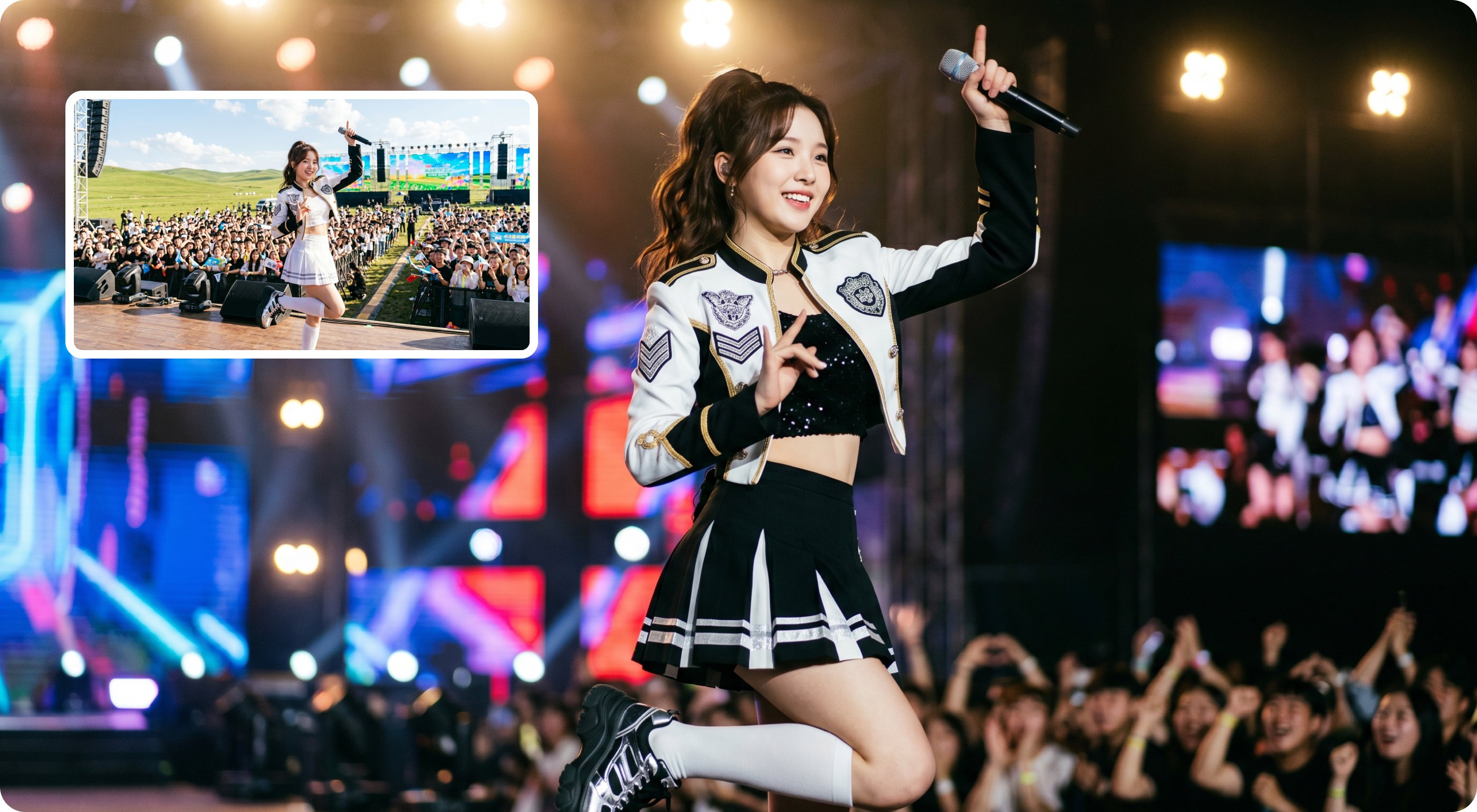
AI से वीडियो बैकग्राउंड और सीन डिटेल बदलें
मौजूदा clip अपलोड करें और Morph Studio के AI वीडियो एडिटर से background, venue, lighting, crowd, props और scene details बदलें, जबकि main subject और motion direction को जितना हो सके बनाए रखें। Source video को concert stage, product scene, fashion setup, cinematic location या social-ready creative variation में prompt और optional reference image के साथ बदलें। यह prompt-based AI video modifier की तरह काम करता है, उन creators के लिए जो manual masking, chroma key editing या shot को फिर से बनाने के बिना visual changes चाहते हैं।
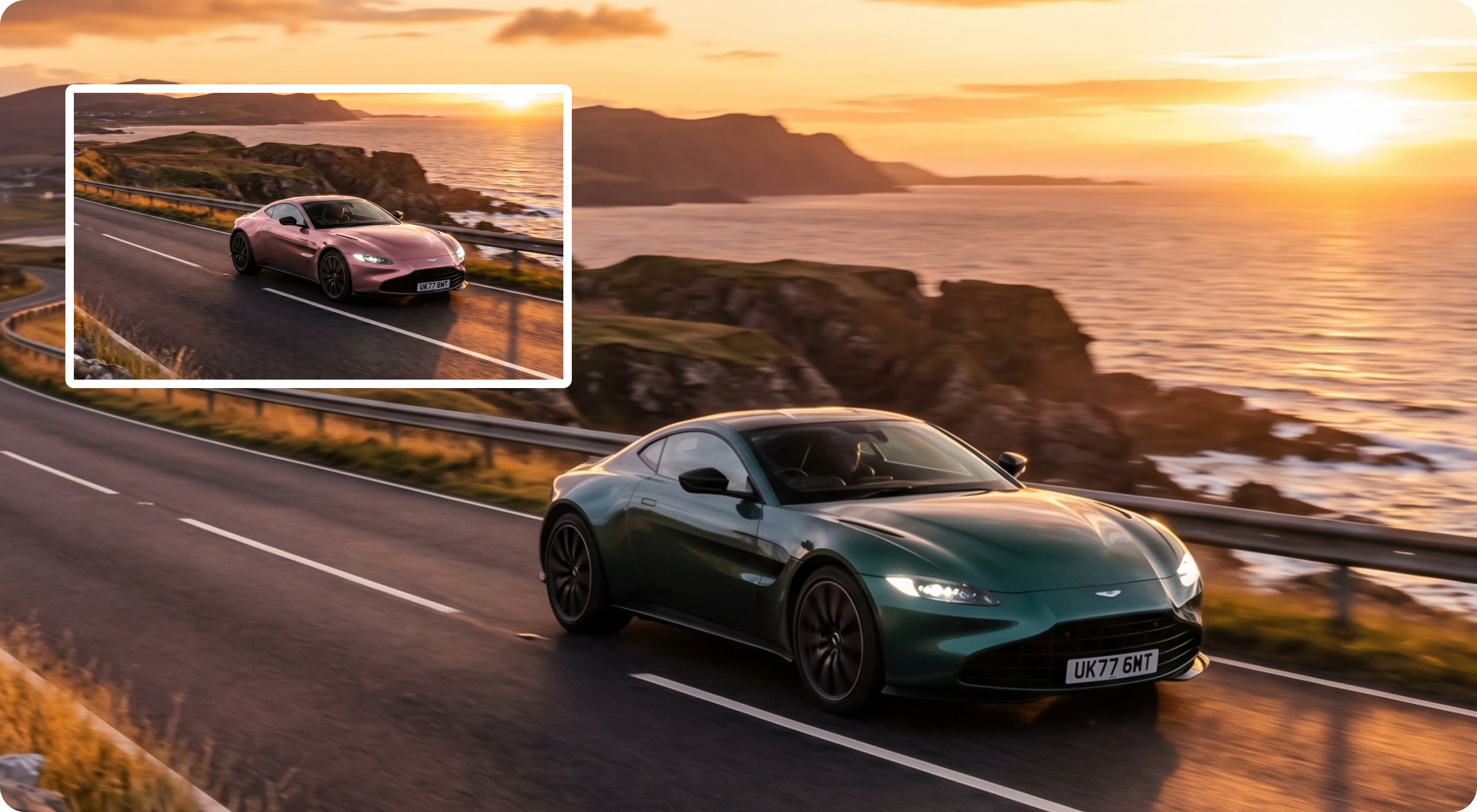
वीडियो में objects और product details replace करें
Morph Studio के AI वीडियो एडिटर से objects replace करें, product details adjust करें, colors बदलें, props update करें या नया visual direction test करें, जबकि original clip का motion और scene context बना रहे। एक car shot, product demo, fashion video, prop scene या creator clip को ads, social posts और campaign testing के लिए multiple versions में बदलें। Watermark cleanup के लिए Video Watermark Remover इस्तेमाल करें, फिर result को AI Video Upscaler से polish करें।
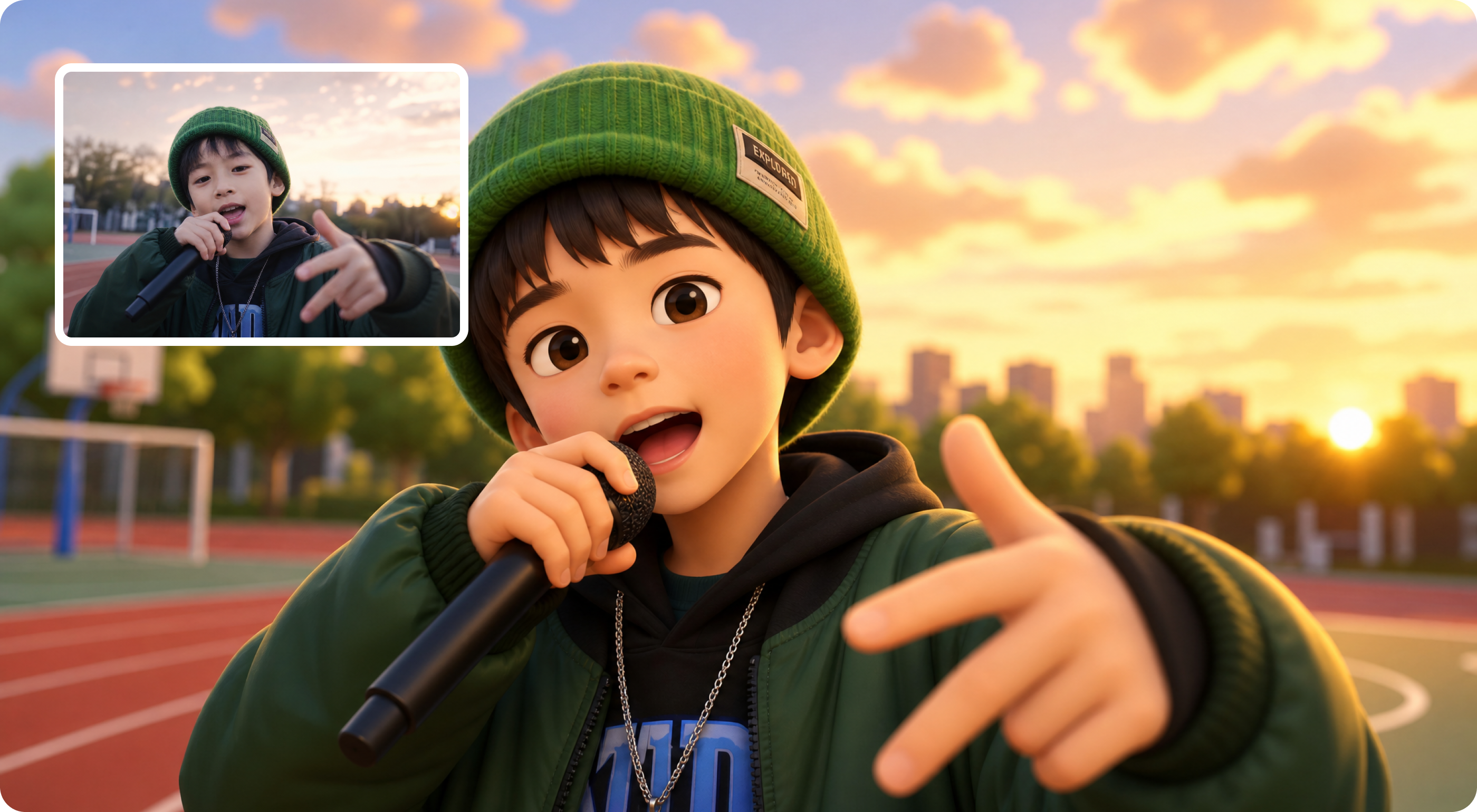
Character और social video variations बनाएं
Existing clips को Morph Studio के AI वीडियो एडिटर से creative variations में बदलें। Original pose, gesture, camera framing और motion direction को बनाए रखते हुए outfits, colors, styling और visual roles adjust करें। TikTok, Reels, Shorts, creator posts और campaign tests के लिए उपयोग करें। अगर clip में ज्यादा controlled movement या speech चाहिए, तो AI Motion Control या AI Lip Sync के साथ आगे बढ़ें।
AI से वीडियो कैसे एडिट करें
Existing video को तीन steps में modify करें
Source Video अपलोड करें
जिस MP4 या MOV clip को edit करना है उसे upload करें। Short video चुनें जिसमें subject clear हो, motion stable हो, और बदलने वाला हिस्सा specific हो, जैसे background, object, outfit, lighting, location या overall scene direction।
Edit describe करें
जो change चाहिए उसके लिए clear prompt लिखें। आप Morph Studio से background change, object remove, prop replace, person या character look adjust, green screen-style background change, या TikTok, Reels, ads और product content के लिए clip morph करने को कह सकते हैं। Style, subject, product या scene direction पर ज्यादा control चाहिए तो reference image जोड़ें।
Generate और refine करें
Generate पर click करें और AI-edited video देखें। अगर पहली version close है लेकिन final नहीं, तो prompt refine करें, reference adjust करें या दूसरी variation बनाएं। Result download करें या Morph Studio में upscaling, watermark removal, image-to-video, lip sync या अन्य video tools के साथ आगे बढ़ें।
और AI Video Tools देखें
Morph Studio में videos create, edit, enhance और finish करें
Related Tools देखें
Edited clip के आसपास पूरा AI video workflow बनाएं
FAQs
AI से वीडियो एडिट करने के बारे में जरूरी बातें।
Morph Studio पर AI Video Editor आजमाएं
Morph Studio के AI वीडियो एडिटर से existing clips modify करें। Natural language prompts और reference images को background changes, object replacements, scene detail adjustments और character style updates में बदलें।