मुफ्त AI इमेज वॉटरमार्क रिमूवर

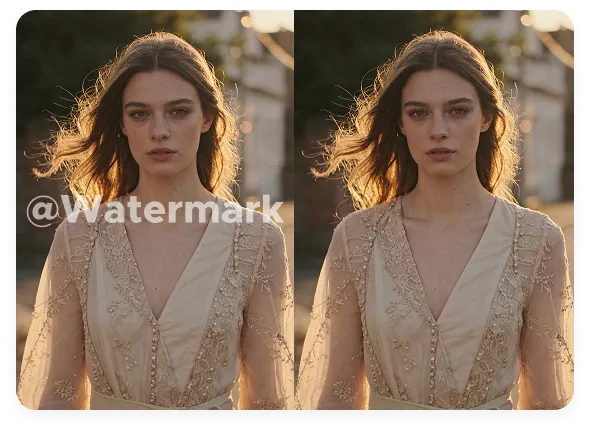
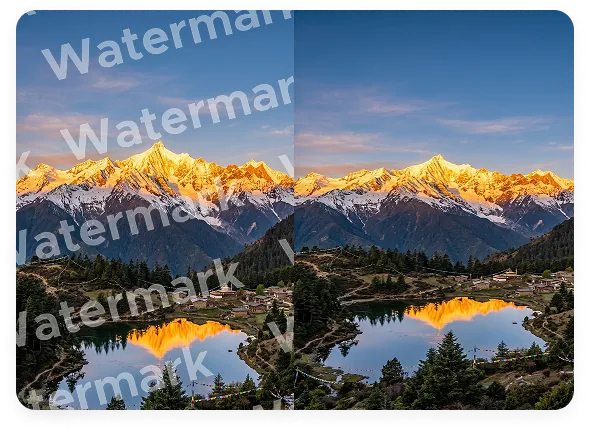
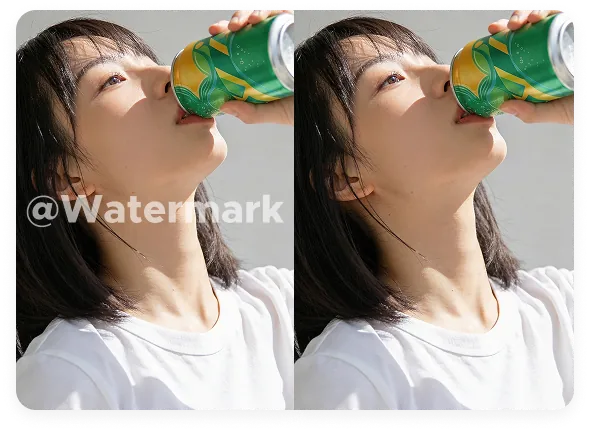
Morph के AI image watermark remover के साथ फोटो से watermark, logo, text overlay, date stamp, camera info और author name हटाएं। Morph product photo, screenshot, portrait, TikTok photo और Instagram image में मौजूद marks को अपने आप detect और remove करता है, बिना blur या quality loss के। फोटो से watermark ऑनलाइन हटाने के बाद आप सीधे Morph में editing जारी रख सकते हैं।


अपनी छवि यहाँ अपलोड करें
Image watermark remover hero preview
Morph Studio AI image watermark remover example for product photo cleanup

फोटो वॉटरमार्क मुफ्त में हटाएं

Text overlay, date stamp, camera info, author name, signature और unwanted marks को एक क्लिक में फोटो से हटाएं। JPG, PNG या WEBP image अपलोड करें और Morph को AI detection और cleanup के साथ image file से watermark हटाने दें। Product shot, portrait, screenshot और social creatives को sharp और usable रखें, बिना blur patch और बिना quality loss के। Cleanup के बाद आप image to image के साथ आगे refine कर सकते हैं या तुरंत export कर सकते हैं।

अभी शुरू करें
AI image cleanup for dense backgrounds and text overlays

AI ऑटो रिमूवल
मैनुअल ब्रश की जरूरत नहीं

Smart AI detection full-screen या repeated watermark को बिना बार-बार manual brush चलाए संभाल लेता है। Morph watermark area और pattern को अपने आप पहचानता है, आसपास की texture, edge, color और lighting को analyze करता है, और केवल marked region को AI से update करता है। Skin, fabric, reflection, packaging या busy background पर मौजूद watermark भी बहुत कम manual effort के साथ और ज्यादा natural result के साथ साफ किए जा सकते हैं।

अभी शुरू करें
High-quality image watermark removal with preserved texture and edges

हाई-क्वालिटी क्लीनअप
Photoshop की जरूरत नहीं

अगर आपने कभी सोचा है कि Photoshop इंस्टॉल किए बिना फोटो से watermark कैसे हटाएं, तो Morph इसका तेज ऑनलाइन तरीका देता है। Photoshop के बिना watermark हटाएं और अपनी image को crisp, clear और high quality बनाए रखें। Detail sharp रहती है, color फीका नहीं पड़ता, और final photo original जैसी ही दिखती है, बस watermark के बिना।

अभी शुरू करें

Morph इमेज वॉटरमार्क रिमूवर शोकेस

देखें कि Morph कैसे full-screen watermark, repeated marks, timestamp, camera info और author name को फोटो से हटाता है, जबकि edges, texture और natural-looking detail को सुरक्षित रखता है।
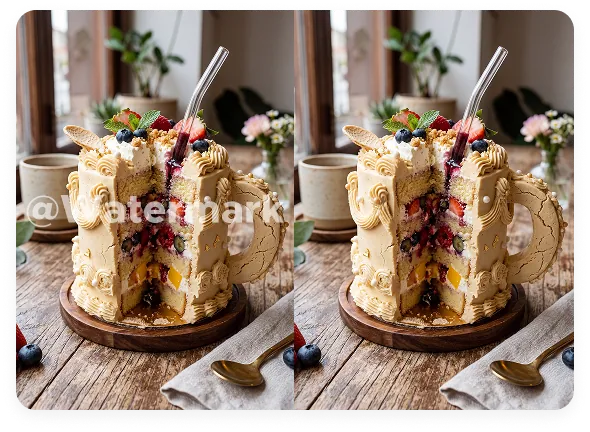

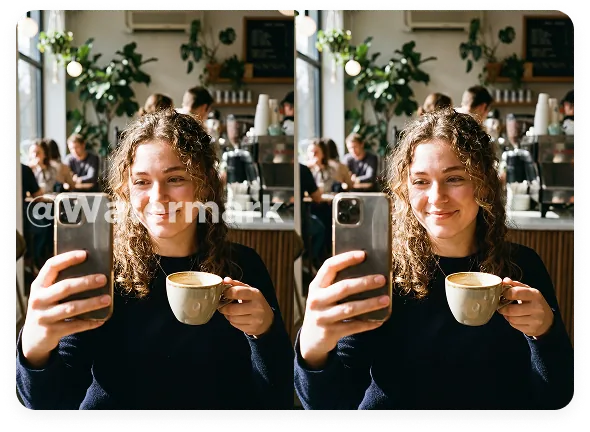
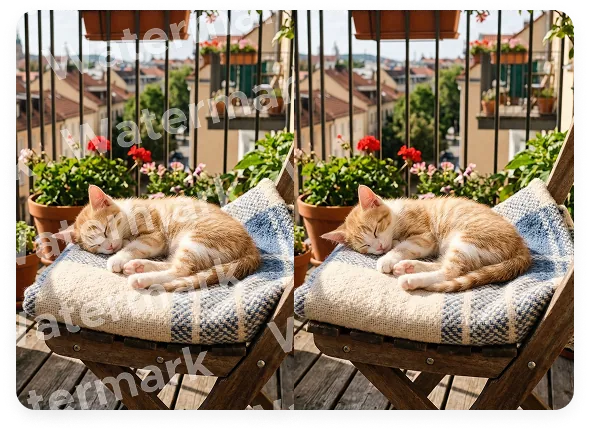
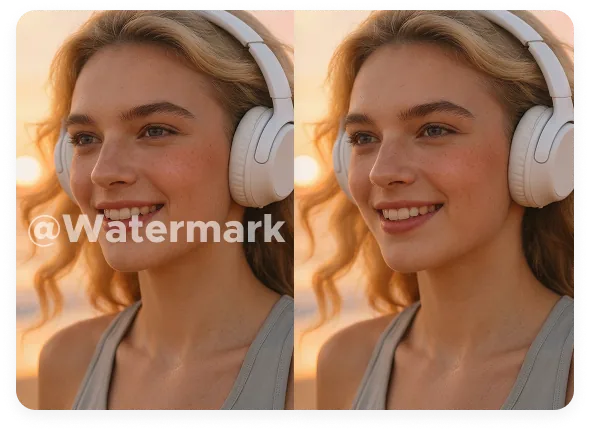
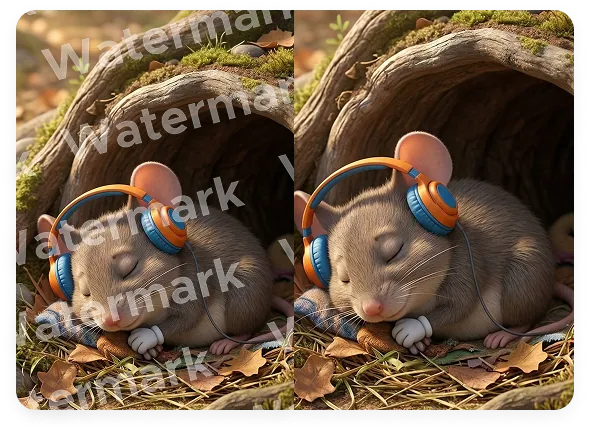
Image watermark remover showcase 1Image watermark remover showcase 2Image watermark remover showcase 3Image watermark remover showcase 4

इमेज से watermark कैसे हटाएं

किसी भी photo को 3 आसान steps में साफ करें

1

अपनी image अपलोड करें

जिस image को आप साफ करना चाहते हैं उसे अपलोड करें। JPG, PNG, WEBP, product photo, screenshot, portrait और किसी भी watermark वाली image के साथ काम करता है।

2

AI watermark को detect करके हटाता है

Image अपलोड होने के बाद Morph watermark, logo, timestamp, camera info, author name या repeated text overlay को अपने आप detect करता है और AI algorithms की मदद से उसे हटाता है। Manual brushing या masking की जरूरत नहीं होती।

3

Preview करें और डाउनलोड करें

Result देखें, original और cleaned image को ऑनलाइन compare करें, जरूरत हो तो final adjustment करें और अपनी clean image को high quality में डाउनलोड करें।

अक्सर पूछे जाने वाले सवाल

इमेज से watermark हटाने के बारे में आपको जो कुछ जानना चाहिए

Morph image से क्या-क्या हटा सकता है?
Morph image से watermark, logo, date stamp, camera info, author name, signature, label, caption और unwanted text हटा सकता है। यह product photo, portrait, screenshot, social creative और AI-generated visual पर बहुत अच्छा काम करता है।
क्या watermark हटाने से image blur हो जाएगी?
नहीं। Morph आसपास की texture, color, edge और lighting को analyze करके marked area को ज्यादा natural तरीके से rebuild करता है, इसलिए result sharp और natural रहता है और कोई obvious blur patch नहीं दिखता।
क्या यह date stamp, camera info, author name और text overlay हटा सकता है?
हाँ। Morph date stamp, camera info, author name, signature, logo और text overlay को साफ कर सकता है। Upload के बाद AI marked area को अपने आप पहचानकर manual masking के बिना हटा देता है।
क्या यह hair, fabric, reflection या packaging जैसे मुश्किल हिस्सों पर काम करता है?
हाँ। Morph को busy background और detailed surface को simple blur-based cleanup की तुलना में ज्यादा natural तरीके से rebuild करने के लिए बनाया गया है। यह hair, fabric, reflection और packaging जैसे complex areas पर मौजूद full-screen या repeated watermark को भी handle कर सकता है और edge तथा texture को यथासंभव natural बनाए रखता है।
कौन-कौन से image formats support होते हैं?
JPG, PNG, WEBP और ज्यादातर common image formats। आप screenshot, product photo, portrait और अलग-अलग size की AI-generated images इस्तेमाल कर सकते हैं।
क्या मैं इसे product photo, screenshot और social image के लिए इस्तेमाल कर सकता हूँ?
हाँ। Morph e-commerce product photo, screenshot, creator assets, marketing image और branded visual के लिए उपयोगी है, खासकर जब reuse से पहले पुराने marks या text को साफ करना हो। अगर cleanup के बाद subject को अलग भी करना है, तो इसे हमारे image background remover workflow के साथ इस्तेमाल करें।
फोटो से watermark कैसे हटाएं?
अपनी image अपलोड करें, AI को marked area detect करने दें, online before और after compare करें और clean result डाउनलोड करें। यह photo files से watermark हटाने का आसान तरीका है, बिना manual retouching और बिना Photoshop install किए।
TikTok watermark कैसे हटाएं?
Morph still image, saved frame और exported picture के लिए free TikTok watermark remover की तरह काम करता है। अगर आप TikTok watermark tool ढूंढ रहे हैं, तो social image, screenshot और AI-generated export के लिए इसे Instagram watermark remover या Runway watermark remover की तरह भी इस्तेमाल कर सकते हैं।
इमेज से watermark कैसे हटाएं?
Image अपलोड करें, AI को marked area detect करने दें, result preview करें और clean version डाउनलोड करें। अगर आप Photoshop के बिना image file से watermark हटाने का तरीका जानना चाहते हैं, तो Morph तेज online workflow देता है।
किसी picture या photo से watermark कैसे हटाएं?
Picture अपलोड करें, Morph को watermark area पहचानने दें, online before और after compare करें और clean version export करें। अगर आपने कभी picture से watermark हटाने का तरीका खोजा है, तो यह बिना manual brush का आसान तरीका है।
क्या Morph watermark eraser है?
हाँ। अगर आप watermark eraser, dewatermark tool या image marks साफ करने का simple workflow ढूंढ रहे हैं, तो Morph कुछ ही क्लिक में ऑनलाइन मदद करता है। कुछ लोग delete watermark photo या delete watermark image जैसे terms भी search करते हैं, लेकिन goal वही है: mark हटाना और image को clear रखना।
क्या यह free है?
हाँ। अगर आप free watermark remover ढूंढ रहे हैं, तो Morph Studio आपको कुछ ही सेकंड में ऑनलाइन शुरू करने देता है। Higher limits और advanced workflows पर upgrade करने से पहले आप limited free generations के साथ cleanup आज़मा सकते हैं।

अभी फोटो से watermark हटाएं

अपनी image अपलोड करें, watermark साफ करें और कुछ ही सेकंड में clean photo डाउनलोड करें।

Morph Studio
Email
Continue
By continuing, you agree to theTerms of ServiceandPrivate Policy.