
Morph Logo

Free Seedream 5.0 Image Generator

Morph image generator with Seedream 5.0 AI Model. Seedream v5 is built for creators who need more than pretty image outputs. Inside Morph Studio, it understands complex prompts more accurately, handles on-image text more cleanly, and keeps subjects, products, and visual language more consistent across a series. It also stands out for high-quality 4K outputs, strong physical world knowledge, and real time web search capabilities that help it respond to more context-rich creative briefs. Morph image to e-commercial visuals, and Morph image to production-ready concept frames that fit real design workflows.
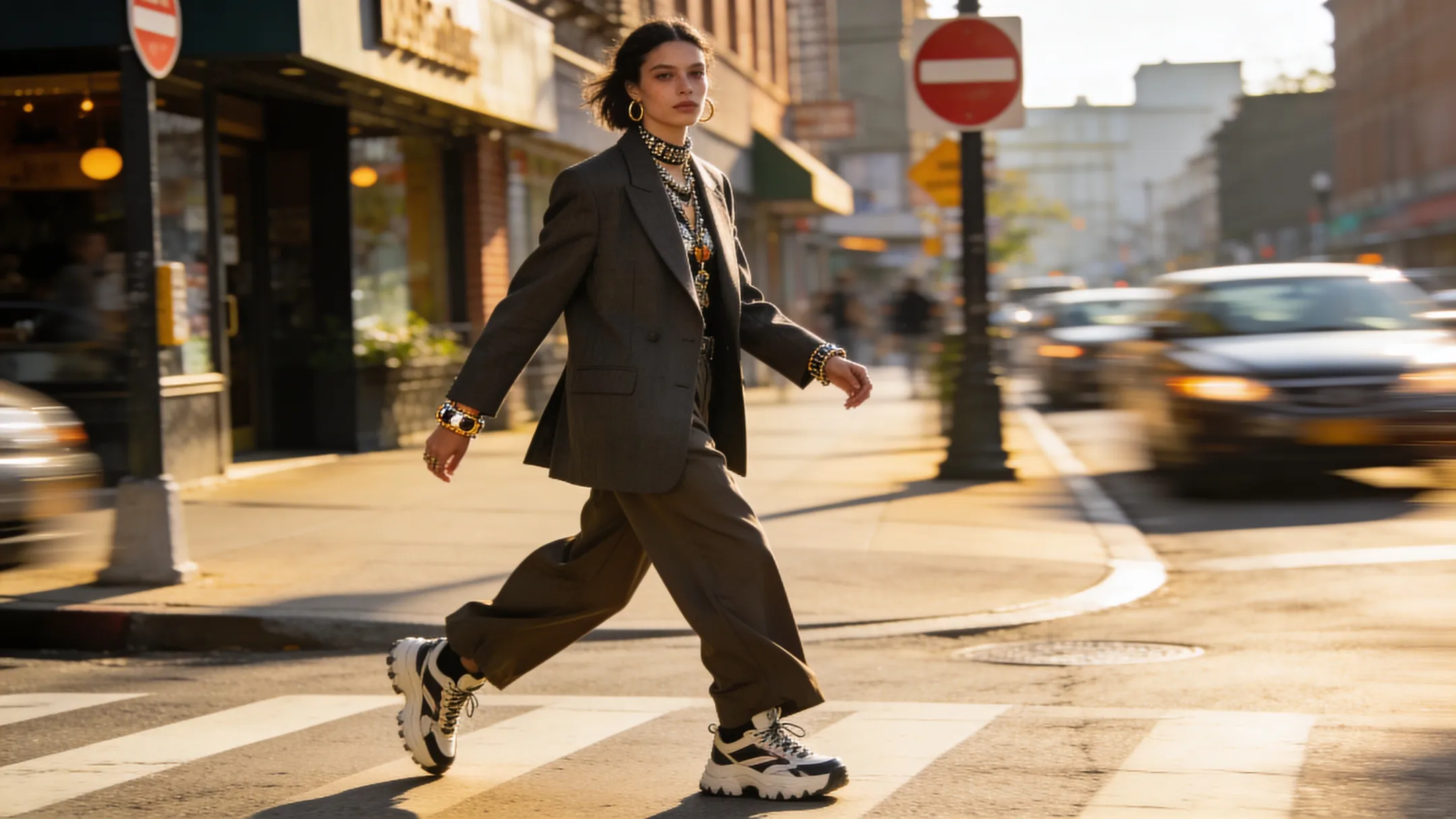
Seedream 5.0 hero preview
Seedream 5.0 prompt understanding preview

Stronger Prompt Understanding
for Design Work

Seedream 5.0 is built for prompts that carry more than a subject and style. It handles composition, relationships, materials, typography, and brand tone more reliably, and its strong physical world knowledge plus real time web search capabilities make it more useful for briefs that depend on richer context and realism. That makes it a strong fit for posters, landing page visuals, social graphics, campaign assets, and even polished AI wallpaper generator outputs where the image has to follow a brief instead of just looking impressive.

Get Started Now
Seedream 5.0 text rendering and consistency preview

Cleaner Text Rendering &
Visual Consistency

For product storytelling, brand campaigns, character sheets, and marketing assets, consistency matters more than a single lucky output. Seedream 5.0 is better at keeping references, products, and visual identity aligned across multiple generations while also handling image text more clearly. With high-quality 4K outputs, use it in Morph Studio to build cohesive brand series, product visuals, ad concepts, and AI character generator style character systems that stay usable as your project expands.

Get Started Now
Seedream 5.0 creative workflow preview

Built for Editing, Variations
and Workflow Handoffs

Seedream 5.0 is not only for blank-canvas generation. Use it for reference-led creation, style exploration, background swaps, visual refinements, and multi-image ideation inside one workflow. Once you have a stable frame, Morph Studio can carry it into AI motion control planning instead of forcing you to restart from zero.

Get Started Now

Create with Seedream 5.0 in 3 Steps

Build sharper, more controllable visuals from prompt to production

1

Write a Detailed Prompt

Describe your subject, composition, style, text elements, lighting, and mood. If you already have a visual direction, upload a reference image to help guide the output.

2

Refine Creative Direction

Adjust your prompt for layout, materials, typography, color, and framing. Seedream 5.0 works best when the brief is specific, especially for product images, posters, branded visuals, and storyboard frames.

3

Generate & Extend

Create the image, review the result, and iterate into more variations. Once you have a strong still, move it into an image to video workflow when you want to Morph static frames into the next production step.

Frequently Asked Questions

Everything you need to know about Seedream 5.0

What is Seedream 5.0?
Seedream 5.0 is an advanced AI image model designed for higher quality visual generation, stronger prompt understanding, cleaner text rendering, more stable consistency across related images, and high-quality 4K outputs. The Seedream 5 Model, also searched as Seedream V5, is increasingly recognized as a ByteDance AI image generator for professional creative work, not only casual image generation.
What makes Seedream 5.0 different from a general AI image generator?
Seedream 5.0 is especially strong when the prompt includes structure, layout, text, style constraints, and multi-part creative direction. It is better at reading visual structure, cinematic composition, natural language editing, and character consistency, and it is often discussed for its strong physical world knowledge and real time web search capabilities. That makes it more useful for brand visuals, posters, product assets, concept design, and series-based image creation where control matters.
Is Seedream 5.0 good for branding and marketing visuals?
Yes. Seedream 5.0 is a strong fit for brand asset generation, campaign graphics, product hero images, landing page visuals, and social creatives. In Morph Studio it can support product photography AI, social post image generator workflows, background plates, motion design assets, animation keyframes, and other production-ready creative assets that need to remain workflow-ready images instead of one-off experiments.
Does Seedream 5.0 render text in images better?
It is better suited than many general-purpose models for prompts that include words, typography, packaging copy, or layout-sensitive design elements. Results will still vary by prompt, but it performs more reliably for text-aware creative tasks, including image to image ai, style transfer, ghibli style exploration, and broader AI image editing workflows that people often compare to free photoshop alternative or modern photo editing software.
Can I use reference images with Seedream 5.0?
Yes. Seedream 5.0 is useful for reference-led workflows where you want to keep the direction of a subject, product, or visual style more stable across iterations. That makes it valuable for multi-image fusion, combine images tasks, digital character design, avatar generator concepts, AI clothes changer mockups, free face swap exploration, and product campaigns that need stable references.
Is Seedream 5.0 useful for storyboards and keyframes?
Yes. Because it is good at composition, consistency, and prompt control, Seedream 5.0 works well for storyboard images, animation keyframes, visual development, and pre-production frames that may later move into video workflows. It is especially useful when the stills are meant to become motion design assets or structured background plates for later editing.
Can I use Seedream 5.0 images commercially?
Images generated in Morph Studio on eligible paid plans can be used commercially according to the platform's usage terms. This makes Seedream 5.0 suitable for client work, marketing assets, brand visuals, production design, and production-ready creative assets that may later be exported as a png maker style deliverable or refined through 4K image upscaling when you need to upscale image outputs for delivery.
When should I choose Seedream 5.0 over another model in Morph Studio?
Choose Seedream 5.0 when your project needs stronger prompt control, cleaner text handling, more visual consistency, and production-oriented image quality. Inside the Morph workflow, it is a strong option for briefs that may later connect to Seedance 2.0 for motion-first storytelling.
Can Seedream 5.0 replace parts of my editing workflow?
For many teams, yes. Morph Studio can use Seedream 5.0 as part of free photoshop alternative mindset for fast concepting, photo editing software style revisions, AI image editing, style transfer, and natural language editing before the work moves into more specialized tools.
What kinds of outputs is Seedream 5.0 especially good at?
It is particularly useful for brand asset generation, product photography AI, social post image generator layouts, digital character design, workflow-ready images, and campaign visuals that require visual structure, cinematic composition, and character consistency.
Can Morph Studio extend Seedream 5.0 outputs after generation?
Yes. In Morph Studio you can continue with image to image ai variations, combine images, transparent exports, and an AI video upscaler stage when your stills have already moved into downstream motion production.

Try Seedream 5.0 on Morph Studio

Generate more controllable, more consistent, and more production-ready AI images with Seedream 5.0.
Morph ideas into posters, product visuals, concept art, and keyframes inside the Morph Studio workflow.

Morph Studio
Email
Continue
By continuing, you agree to theTerms of ServiceandPrivate Policy.