
AI Video Face Swap
Create natural-looking face swap videos from one clear face photo and a target clip. Morph Studio follows the original performance across frames, keeping motion, expressions, timing, and scene context recognizable. Available on eligible Morph Studio plans.
One Face Swap Across the Whole Clip
Replace one person's face throughout a video without editing every frame by hand. Morph Studio follows the visible face as the scene moves, creating a consistent result from the opening shot to the final frame.
Keep Motion and Expressions Recognizable
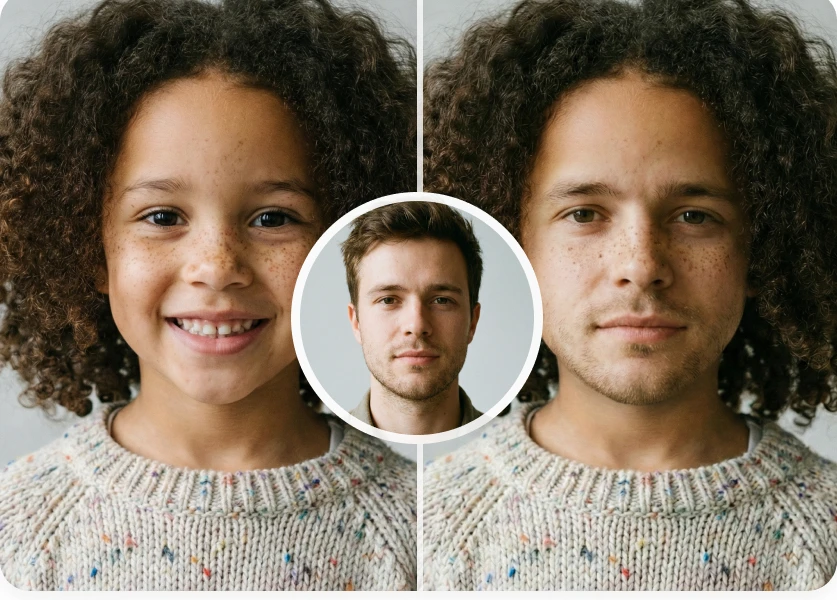
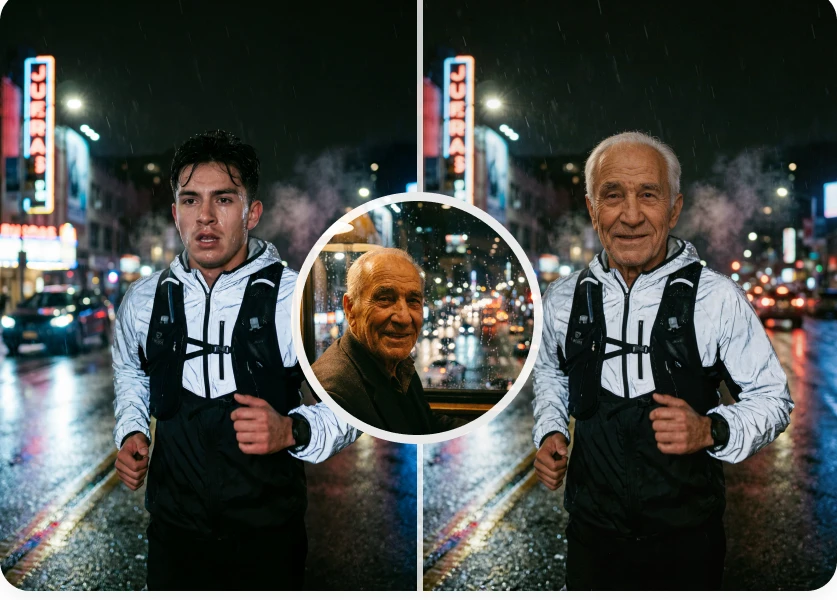
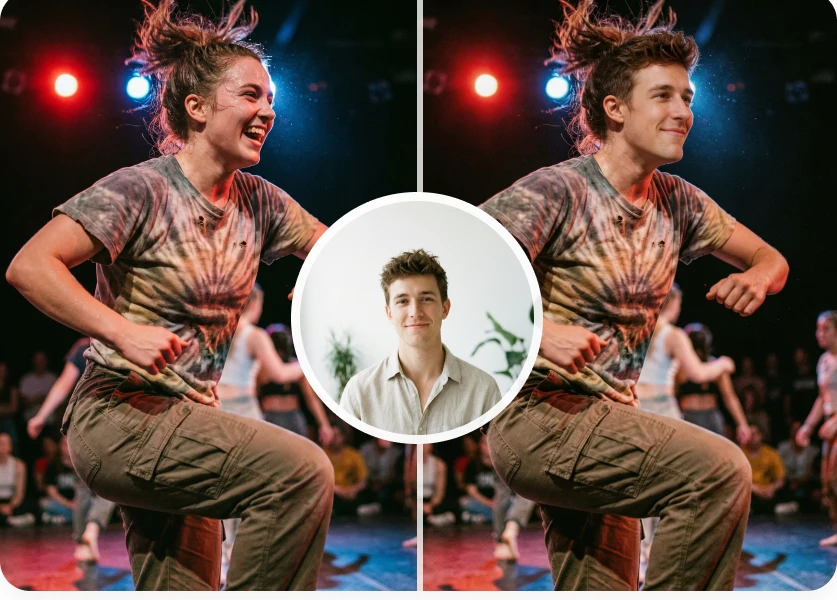
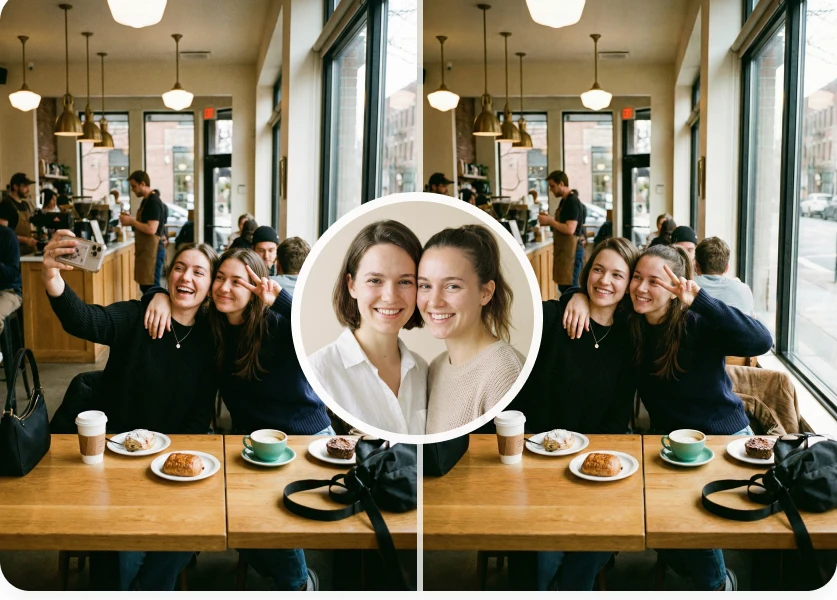
Preserve the character of the original performance while changing the face. Morph Studio is designed to carry expressions, head movement, timing, lighting, and scene context into the result, with the clearest source images and unobstructed target footage producing the strongest swaps.

Made for Memes, Social Clips, and Character Edits
Recast short scenes, create reaction clips, explore character ideas, or give social videos a new lead. Need a still image instead? Use Morph Studio's AI Face Swap, then continue polishing your video with the AI Video Upscaler and other video tools.
AI Video Face Swap Examples
See how one replacement face stays recognizable across different expressions, movements, lighting, and scenes.

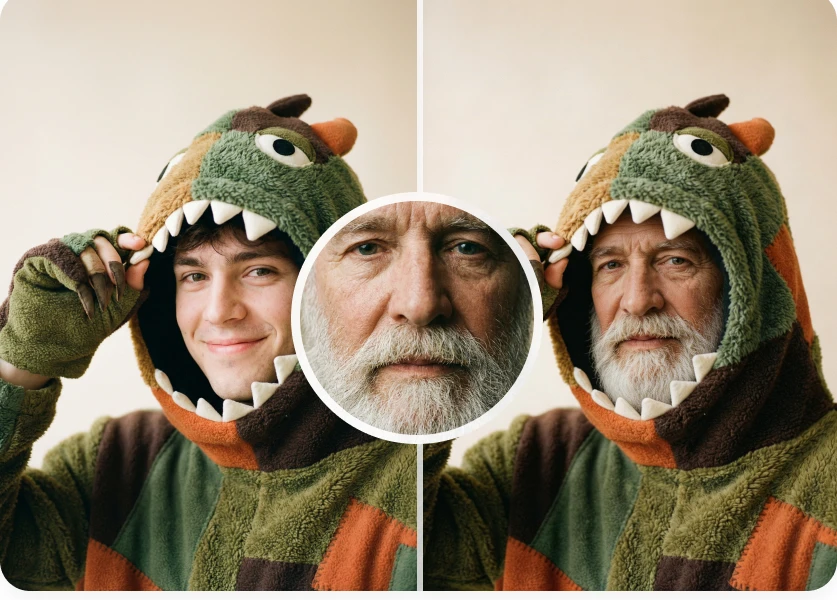

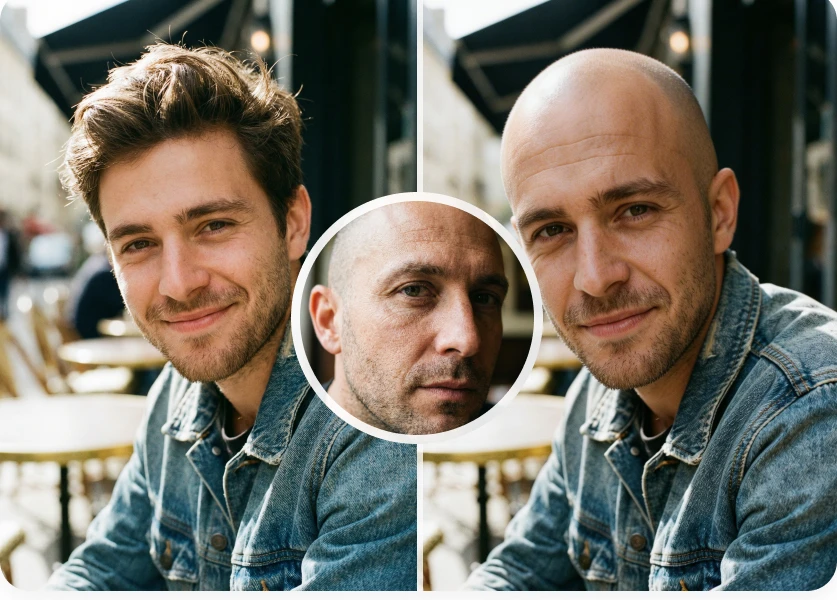




How to Swap a Face in a Video Online
Create an AI video face swap in three simple steps
Upload a Face Photo
Choose a clear, front-facing image of the face you want to use.
Upload Your Target Video
Select a video with one clearly visible person whose face you want to replace.
Generate and Download
Click Swap Face, preview the finished video, and download your result.
Explore other features
Discover more AI-powered video tools from Morph Studio
Continue Editing Your Videos
Upscale, restyle, clean, and transform videos with Morph Studio's AI tools
Frequently Asked Questions
Everything you need to know about AI video face swap
Swap a Face in Your Video
Add one face photo and a target video, then sign in to create an AI video face swap with an eligible Morph Studio plan.