
Free AI Video Watermark Remover
Remove watermarks, logos, subtitles and overlays from video with Morph Studio's AI watermark remover. Morph handles both static and moving watermarks, including TikTok, Sora, and Kling marks, without blur or quality loss. Clean up your footage online for free, then continue editing directly inside Morph.
Remove Any Watermark from Video
Erase logos, subtitles, timestamps, stickers, and platform watermarks from your videos in seconds. Morph's AI analyzes every frame to detect and cleanly remove the unwanted element while preserving the original background. Whether you need to remove a TikTok watermark, clear a CapCut logo, or strip subtitles for a new language version, the result is sharp and natural, no blur patch, no quality loss. Pair cleaned footage with video style transfer for a completely new creative look, or export directly. Works with MP4, MOV, WebM, and all common video formats.
Smart AI Detection
for Moving Watermarks
Moving watermarks are the hardest to remove, and that's where Morph excels. Our AI tracks watermarks that shift position across frames, like dynamic Sora or Sora 2 overlays, scrolling TikTok marks, and animated platform badges. The detection engine follows the watermark frame by frame, cleanly removing it while keeping your footage stable and flicker-free. Perfect for cleaning up AI-generated video previews from Sora, Kling, or Runway before using them in real projects.
High-Quality Output
for Complex Scenes
Morph preserves texture, lighting, and motion continuity even in busy or fast-moving scenes. The AI reconstructs the background behind the watermark naturally, so the cleaned area blends seamlessly with the rest of the frame. After removing watermarks, enhance with our AI video upscaler for sharper, pristine delivery quality without sacrificing natural motion.
Morph Remove Video Watermark Showcase
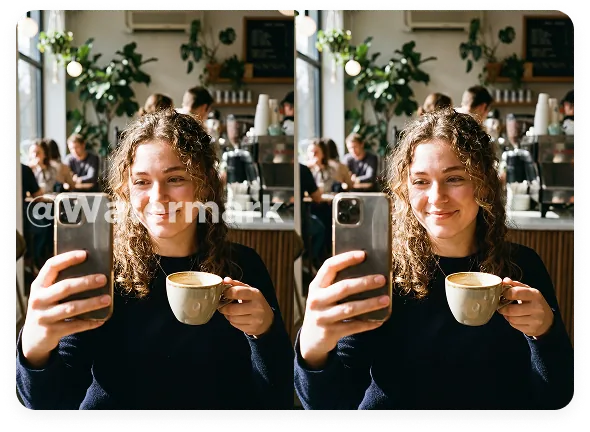
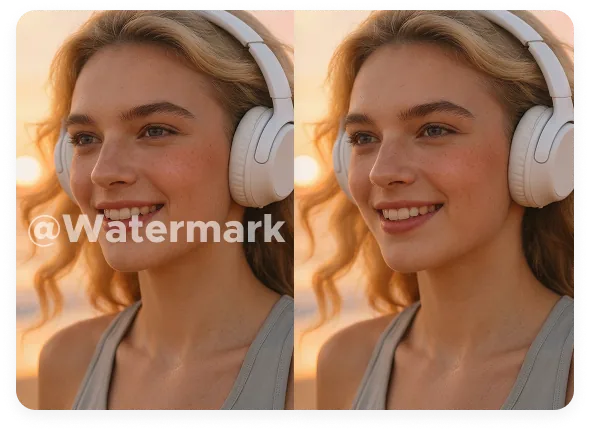
See how Morph removes watermarks, logos, subtitles, and moving overlays while keeping your footage clean and natural, ready for ads, social media, product demos, and professional delivery.










How to Remove Watermarks from Video
Clean up any video in three simple steps
Upload Your Video
Upload the video you want to clean. Supports MP4, MOV, WebM, and other common formats. Works with phone recordings, screen captures, and AI-generated clips.
Mark the Watermark Area
Brush over the watermark, logo, subtitle, or overlay you want to remove. Precise marking helps the AI focus on the right region for the cleanest result.
Export and Download
Preview the result, check motion continuity, and download your clean video.
Explore other features
Discover more AI-powered creative tools from Morph Studio
Explore other features
AI-powered creative tools for every stage of your Morph workflow
Frequently Asked Questions
Everything you need to know about removing watermarks from video
Remove Watermarks Now
Upload your video and get clean, watermark-free footage in seconds.